How do I configure an External SQL Connection?
The Eclipse Pro dashboard allows you to configure external database connections for integrations with other systems. Setting up a SQL Server connection ensures your system can securely communicate with external databases.
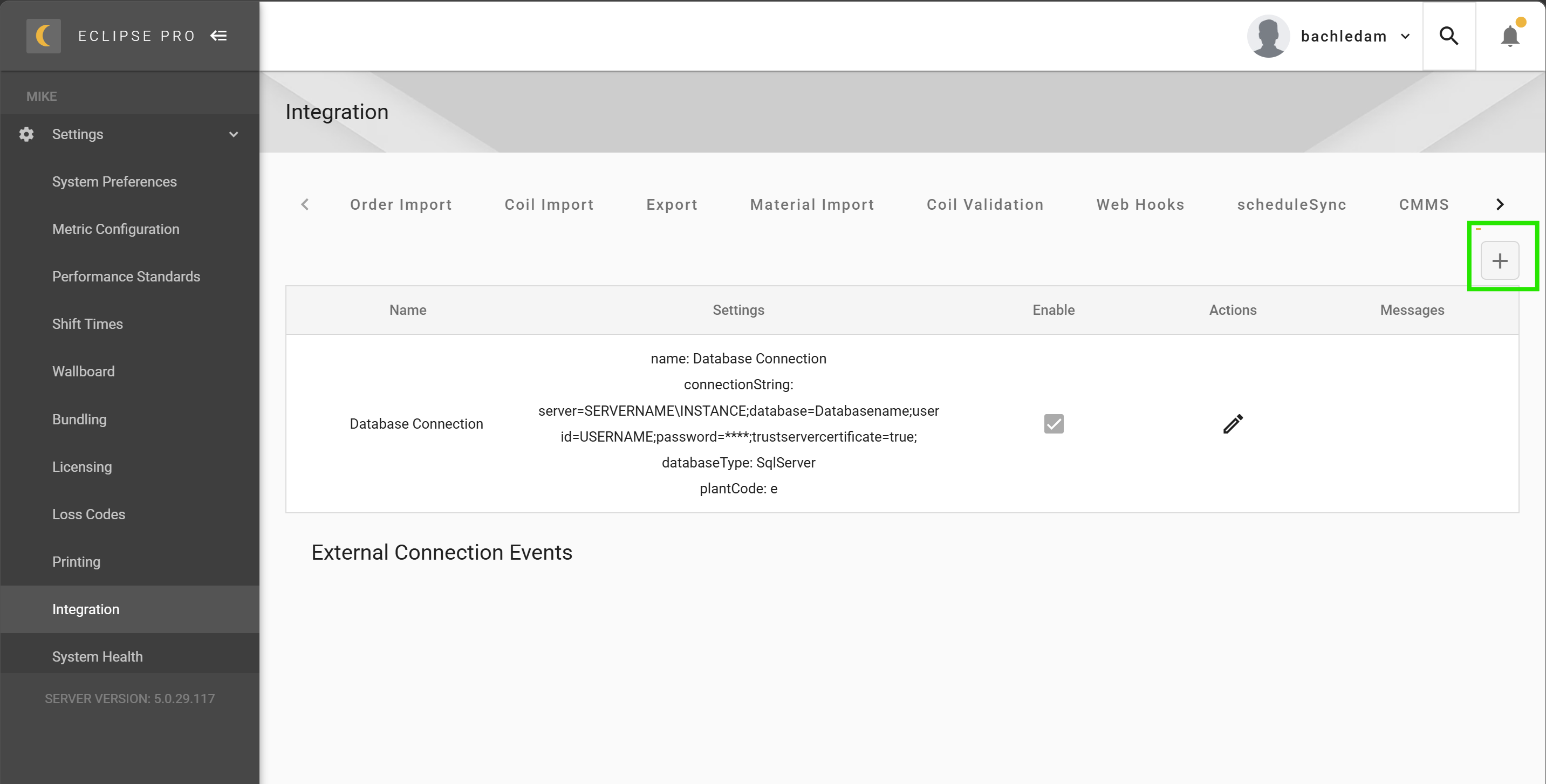
Navigating to External Connections
From the main dashboard:
- Go to Settings
- Select Integration
- Click on the External Connection tab
This is where all external connections are managed.
Adding a New Connection
To create a new external SQL connection:
- Click the “+” button to add a new connection
Configuring the Connection
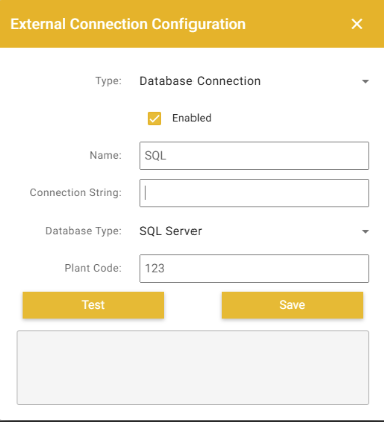
Fill in the required fields with the following settings:
Basic Configuration:
- Type: Database Connection
- Enabled: ✔ (Checked)
- Name: Enter a descriptive name for the connection
Connection String: server=SERVERNAME\INSTANCE;database=Databasename;user id=USERNAME;password=PASSWORD;trustservercertificate=true;
Additional Settings:
- Database Type: SQL Server
- Plant Code: Enter if applicable
Other databases
Set Database Type to match the database the connection string points at: SQL Server, Oracle, MySQL, DB2, PostgreSQL, or ODBC. Choose ODBC to connect through an ODBC driver installed on the Eclipse Pro server. This is the usual way to reach DB2 for i (AS-400) without an IBM DB2 Connect license. For driver setup and a sample connection string, see Connecting through ODBC.
Saving the Connection
- Click Save after entering all required information
Once saved:
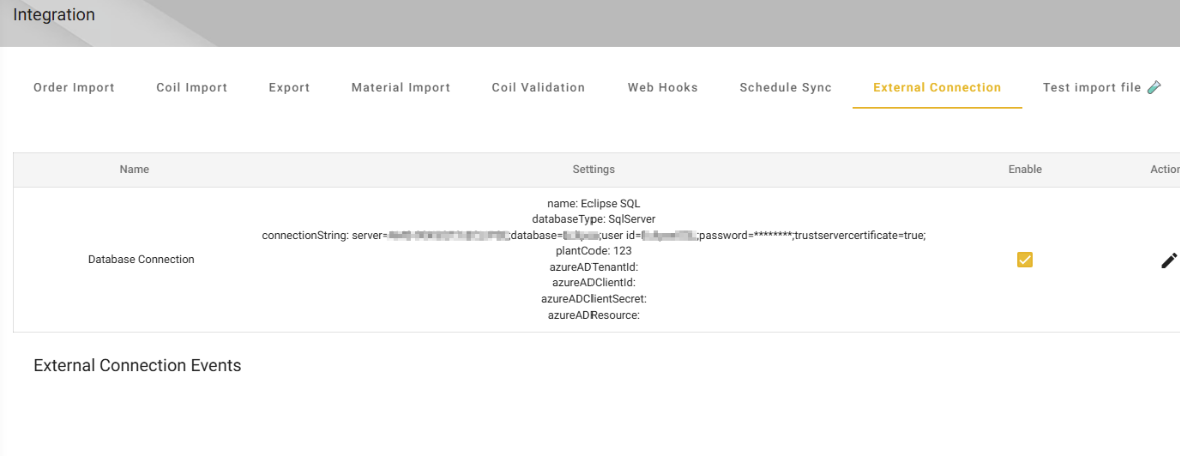
- The new connection will appear in the External Connection list
- The system will attempt to establish the connection automatically
Verifying the Connection
After saving, confirm the connection is working properly:
- Locate your connection in the list
- Check for any status or error indicators
If there are issues:
- Errors will be displayed in the External Connection Events section
- Review the error details to troubleshoot connection problems
If the connection fails, verify your server name, credentials, and network accessibility. Ensure SQL Server allows external connections and that the correct instance name is used.
Deleting a Connection
To remove a connection you no longer need:
- Open the connection from the External Connection list
- Click Delete and confirm
A connection cannot be deleted while other integration configurations (order import, coil import, export, etc.) still reference it. Delete or repoint those configurations first.
Completion
Once configured successfully:
- Your external SQL connection is ready for use
- The system can now communicate with the specified database
For additional support or issues, contact support@amscontrols.com.